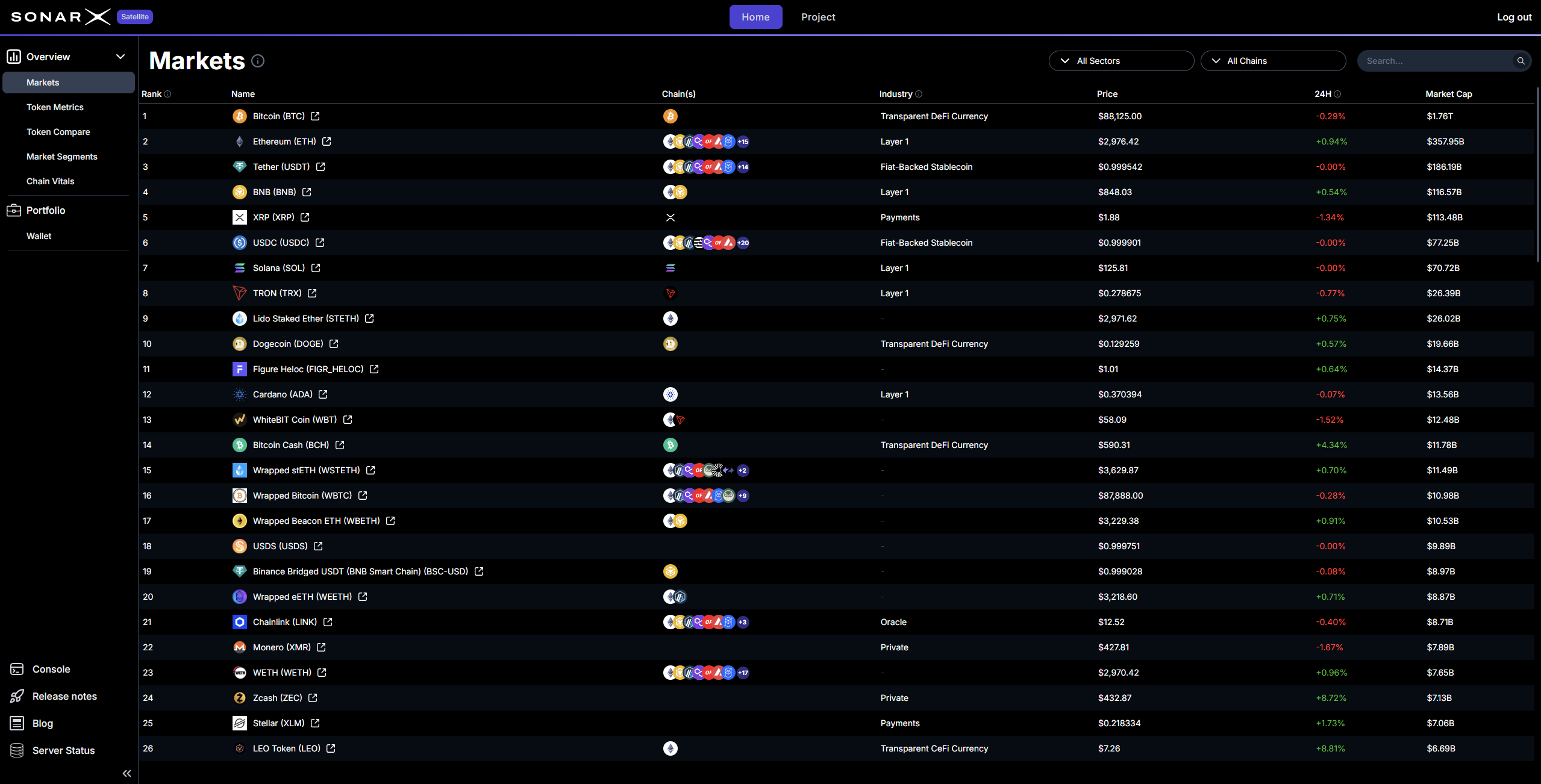
The Markets page is your starting point for asset discovery.
Satellite Markets page

Satellite: Markets

It provides a comprehensive list of the top 2,000 digital assets ranked by their market value. We source this pricing data directly from CoinGecko. To ensure you have the most current info, these prices refresh every 30 minutes. This view allows you to see the current rank, price, and 24-hour performance of the most significant tokens in the industry.
Satellite Markets page

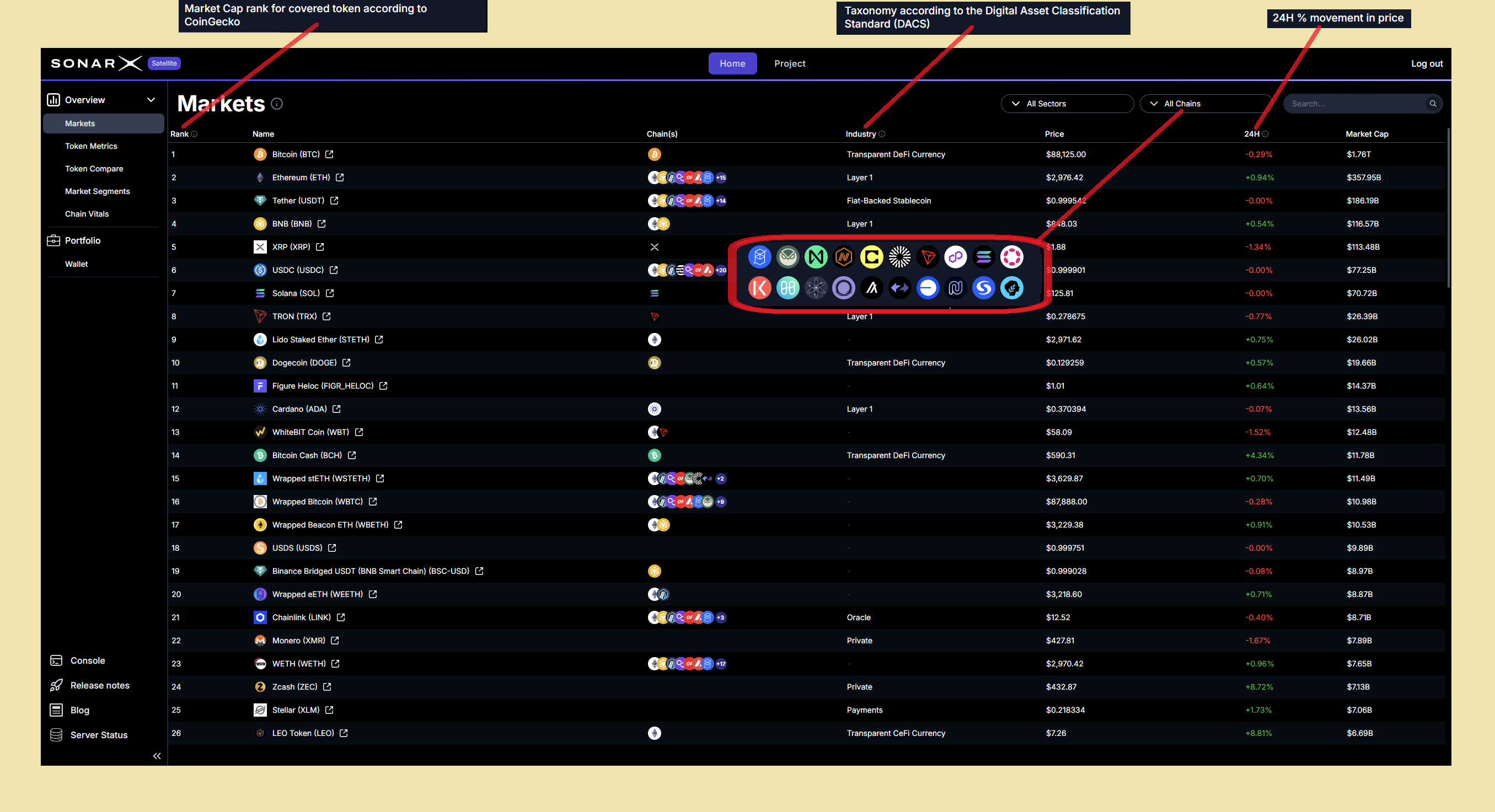
Satellite: Markets - Chains, Classification, TMV & price changes

One of the most useful features of the Markets page is the chain support column. Most tokens exist on more than one network. Satellite identifies every chain where a specific token is present. For instance, you can see that USDC is being used on 20 or more different chains at once. This helps you understand where the most liquidity is held for any given asset. We use the Digital Asset Classification Standard (DACS) to sort these assets. This taxonomy comes from CoinDesk Indices. It groups tokens into industries based on their specific technology and use case. This standard makes it easy to compare similar projects. It provides a common language for everyone involved in the market. Users can also see the Total Market Value (TMV) for each asset. The percentage change over the last 24 hours is shown clearly. This helps you identify which tokens are gaining traction and which are losing value. The Markets page is designed to be a fast and reliable way to scan the entire ecosystem. It provides the essential facts you need to begin your daily research. You can click the column heading to change the sorting (Asc./Desc.).

Easy filtering for finding, comparing, slicing&dicing, and focusing

By default, the Satellite Market page displays all tokens across all supported chains. Users can easily and quickly perform focused searches and analyses by using the available filters: Chains and DACS classification.

Filter by Chain

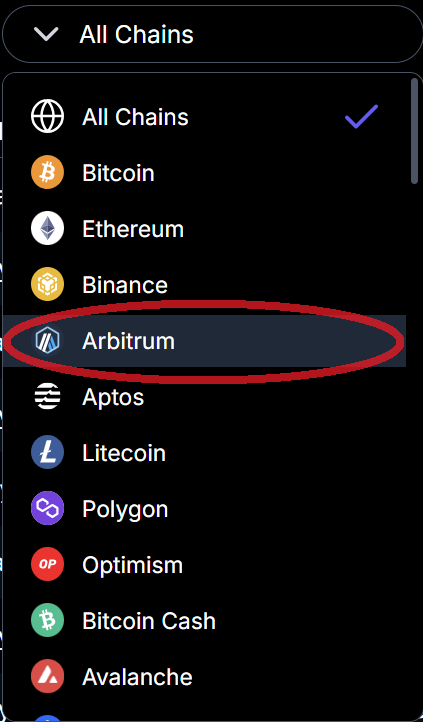
To filter for assets supported on an individual chain, or conversely across all chains, users can simply click on the chain drop-down and select what chain they want to filter by (for example: Arbitrum):
Satellite Markets page

Satellite: Markets - filter by Chain (example: Arbitrum)
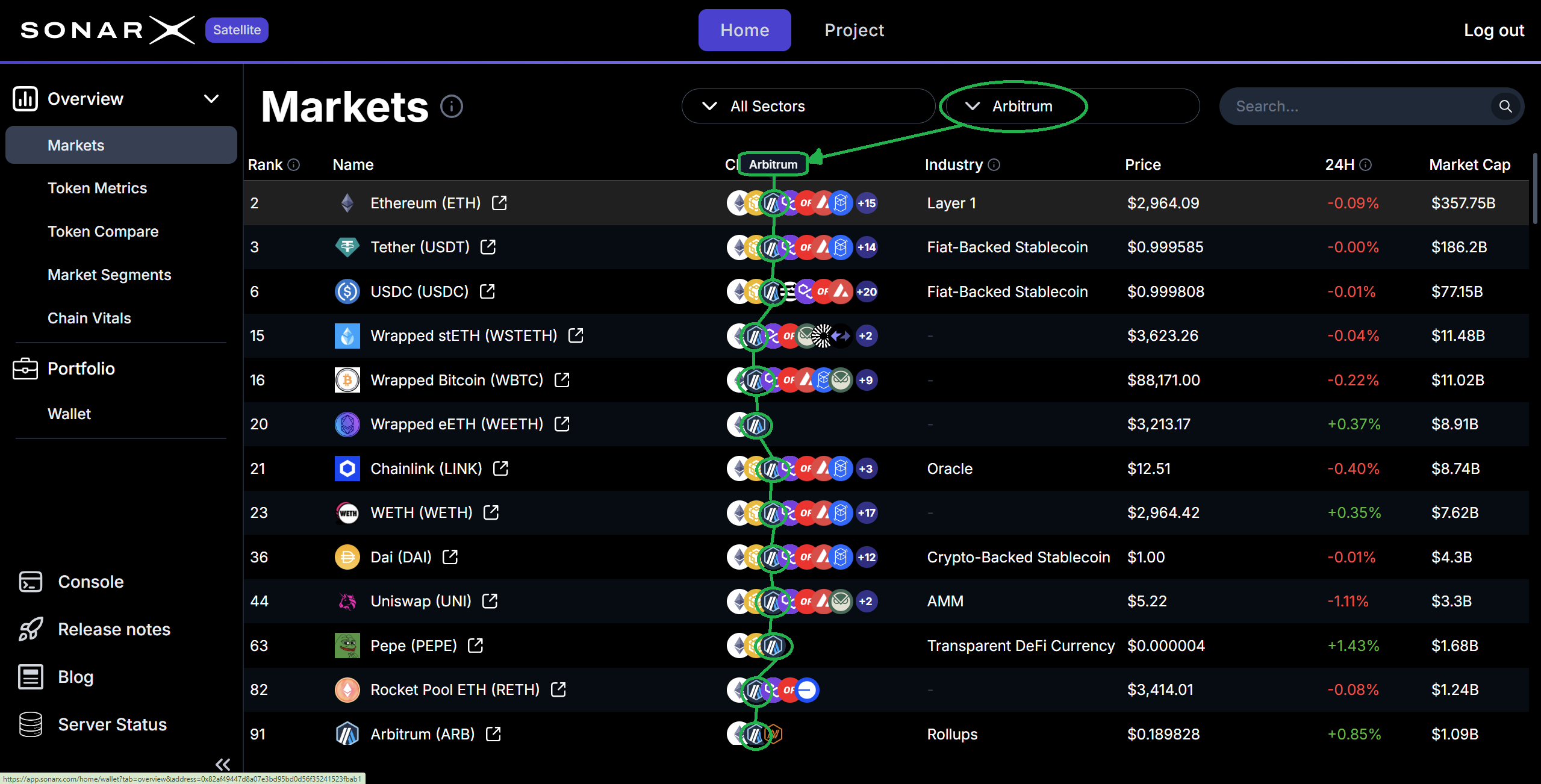
Satellite will now display only the assets that are available on the selected chain (Arbitrum):
Satellite Markets page

Satellite: Markets - Assets supported on selected chain (example: Arbitrum)

Filter by DACS Sector / Industry Group / Industry

To filter for assets that DACS classifies in a specific Sector, Industry Group, or Industry, users can click the classification drop-down, select the level at which to apply the filter, and choose the particular value (at that level) they want to use:
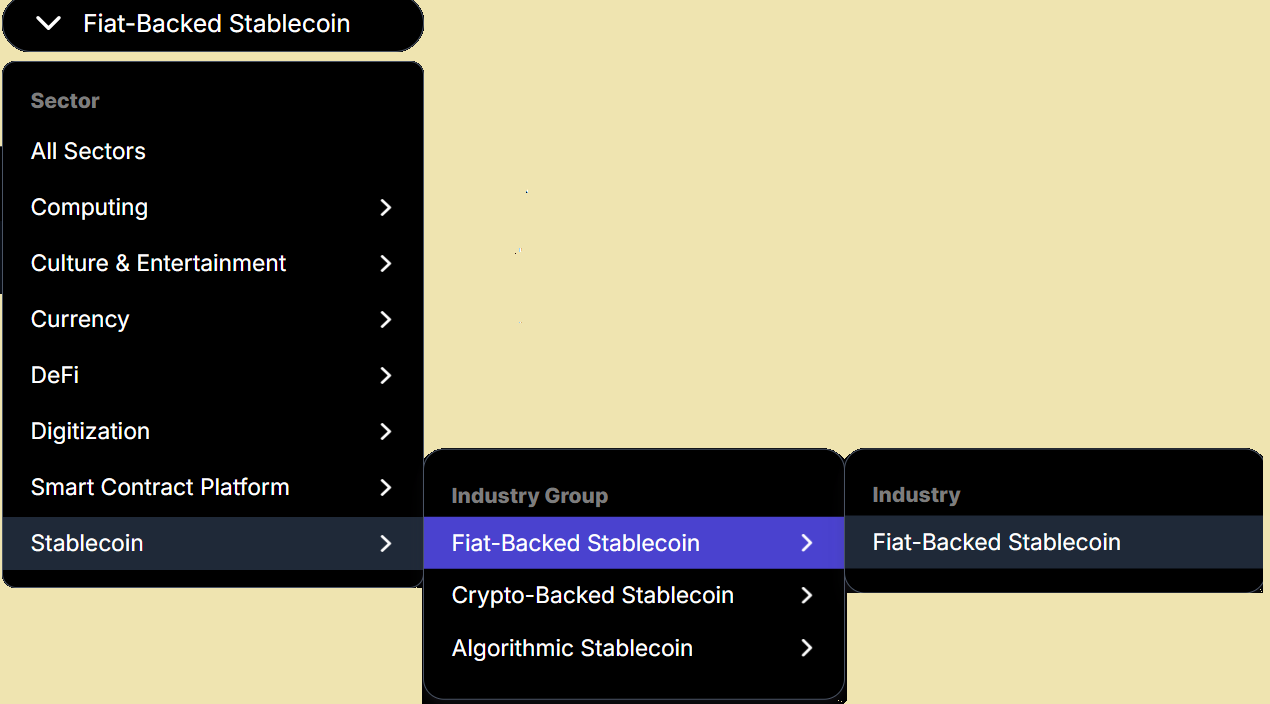
Satellite Markets page

Satellite: Markets - filter by DACS Classification (example: Industry Group = Fiat-Backed Stablecoin)
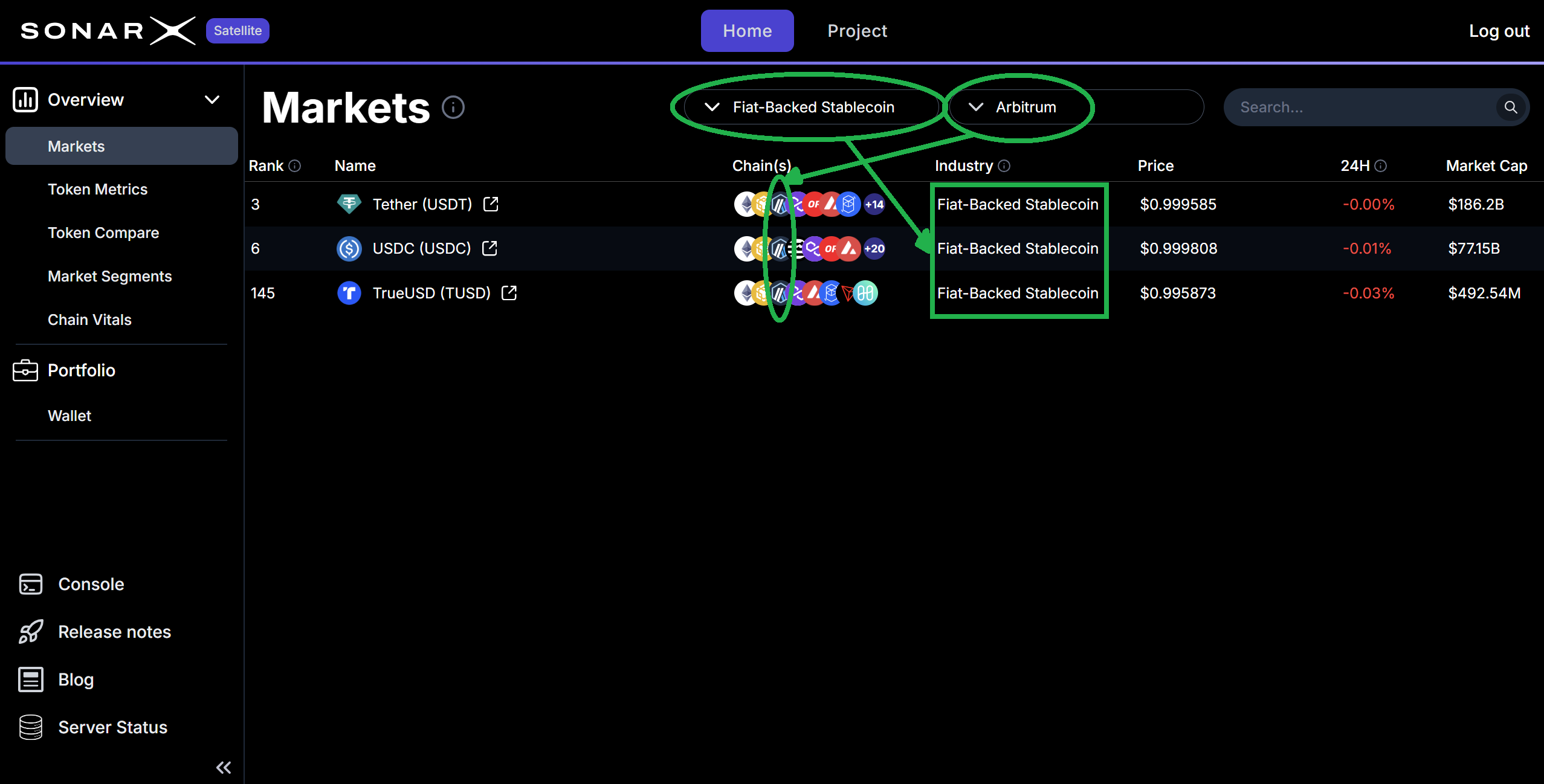
As we had previously also filtered by Chain = Arbitrum, Satellite now shows all assets that are available on Arbitrum AND whose DACS’ Industry group is Fiat-Backed Stablecoin:
Satellite Markets page

Satellite: Markets - applied filters Chain = Arbitrum, Industry Group = Fiat-Backed Stablecoin
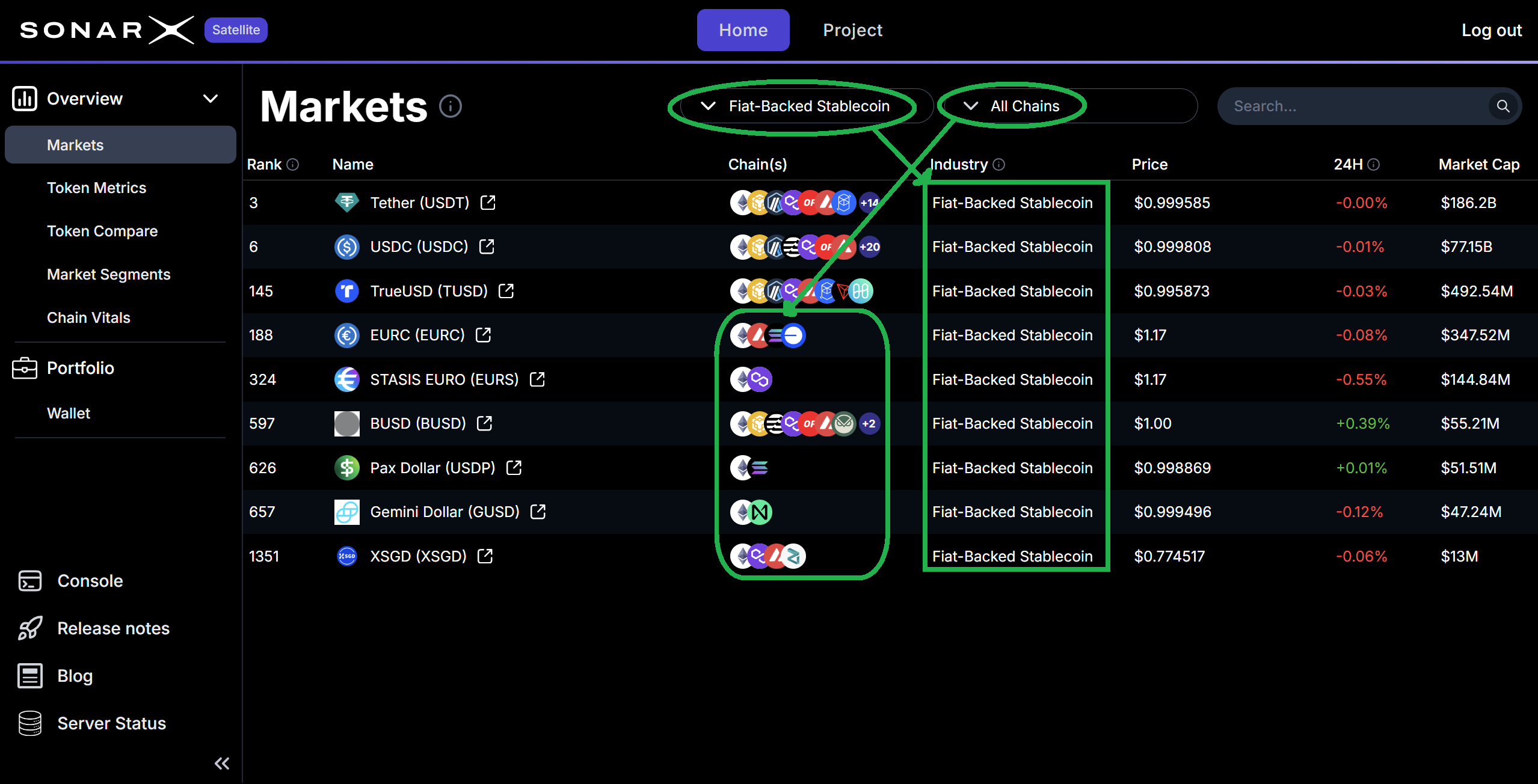
If users want to look at all assets whose DACS’ Industry Group = Fiat-Backed Stablecoin across All Chains, they can simply remove the filter by Chain = Arbitrum, and select instead Chain = All Chains:
Satellite Markets page

Satellite: Markets - applied filters Chain = All Chains, Industry Group = Fiat-Backed Stablecoin

Focus on a single asset (token)

At any point in time, users can click on one of the displayed assets to launch the “Project” view, where they can access in-depth information for the selected asset. See more details in the dedicated section for the Project page.