

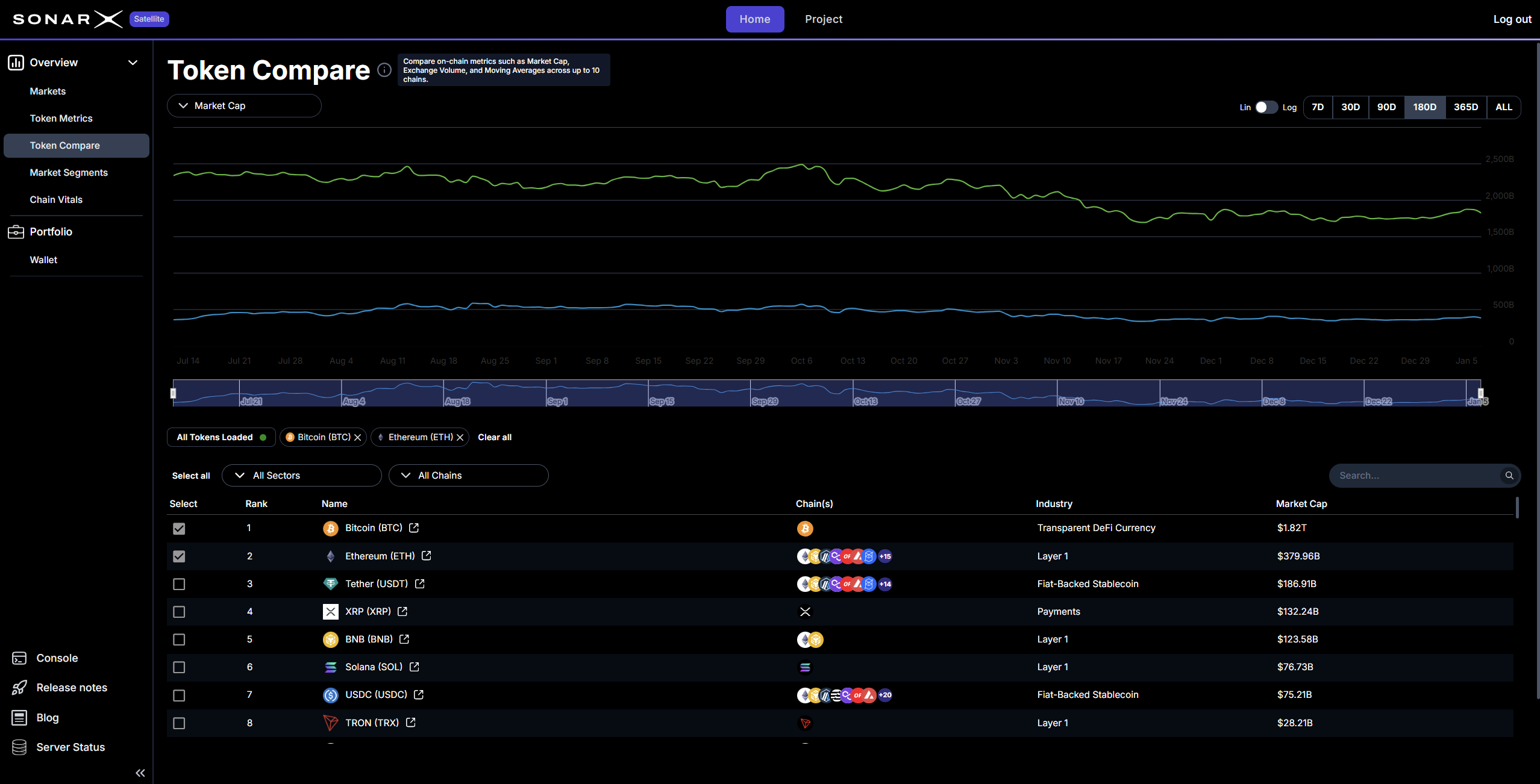
Satellite: Token Compare
The tool supports comparisons across up to 10 different tokens at once. This is useful for identifying cross-chain trends. You can adjust the time range to look at the last 180 days of activity. The graph updates in real-time as you add or remove assets. This allows for quick testing of different theories.
For example, you could compare Ethereum and USDC to see how stablecoin usage relates to network activity. The interface is clean and straightforward. You can pick assets from a list and see their historical relationship immediately. This helps you understand which tokens drive the market and which ones follow.
This section is also useful for checking the performance of newer tokens against established leaders. You can see if a new project is following the same trajectory as its peers. It turns complex data into a visual story. This makes it much easier to share your findings with others. It is a vital tool for anyone who needs to prove a point with data.
You can click the column heading to change the sorting (Asc./Desc.).
Easy filtering for finding, comparing, slicing&dicing, and focusing
By default, the Satellite Token Compare page displays all tokens across all supported chains. Users can easily and quickly perform focused searches and analyses by using the available filters: Chains and DACS classification.Filter by Chain
To filter for assets supported on an individual chain, or conversely across all chains, users can simply click on the chain drop-down and select what chain they want to filter by (for example: Arbitrum):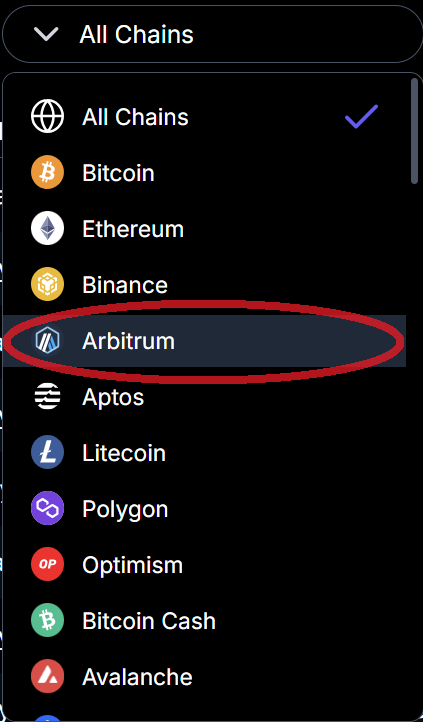
Satellite: Markets - filter by Chain (example: Arbitrum)
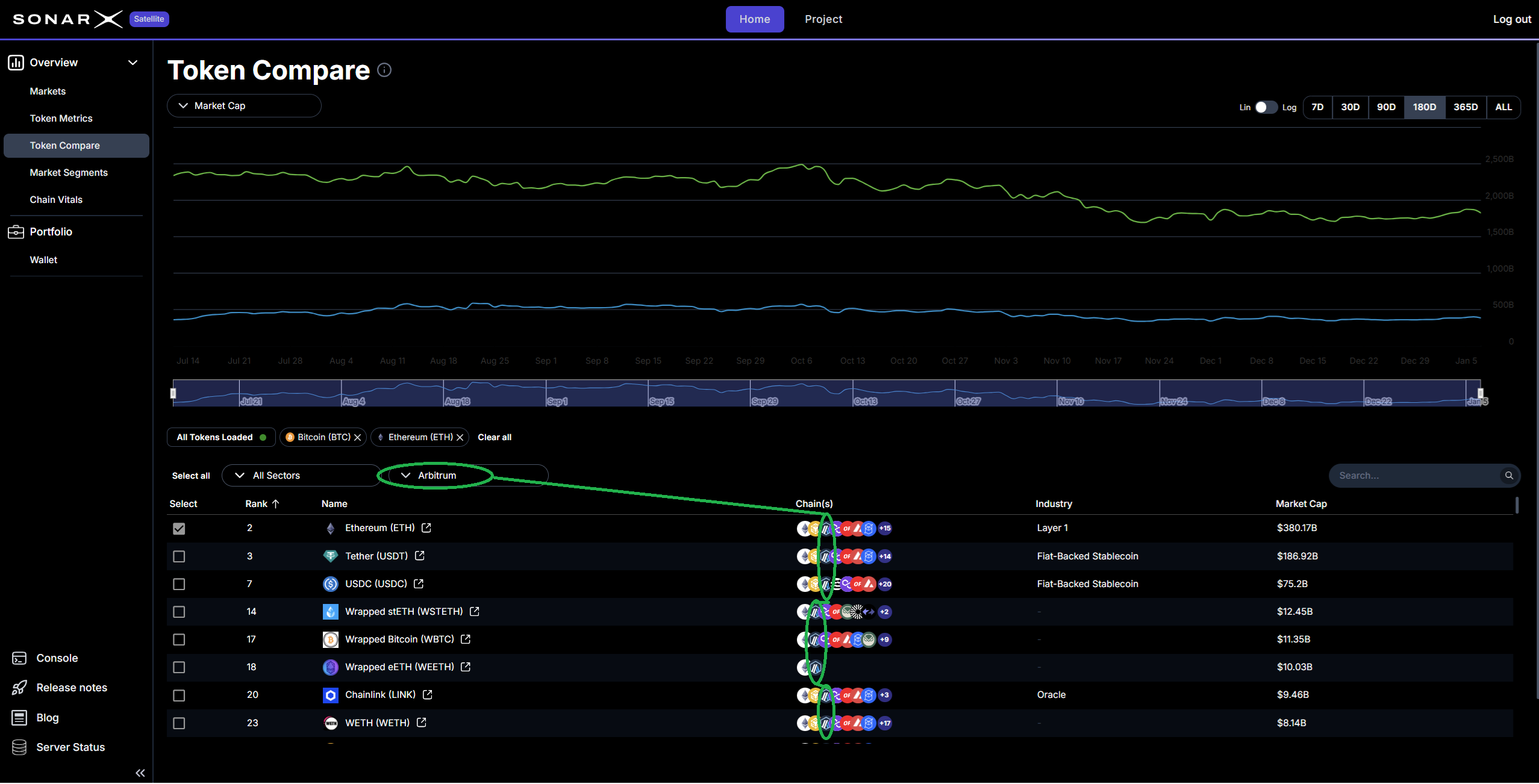
Satellite: Token Compare - Assets supported on selected chain (example: Arbitrum)
Filter by DACS Sector / Industry Group / Industry
To filter for assets that DACS classifies in a specific Sector, Industry Group, or Industry, users can click the classification drop-down, select the level at which to apply the filter, and choose the particular value (at that level) they want to use: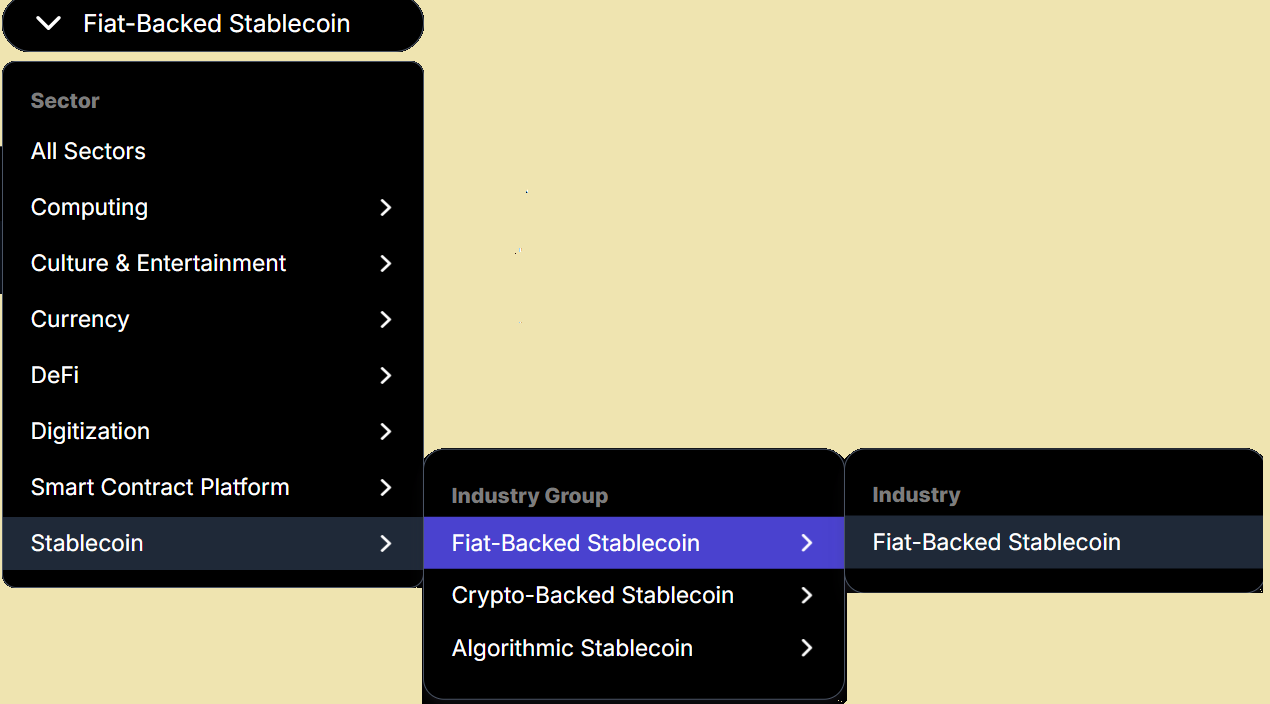
Satellite: Token Compare - filter by DACS Classification (example: Industry Group = Fiat-Backed Stablecoin)
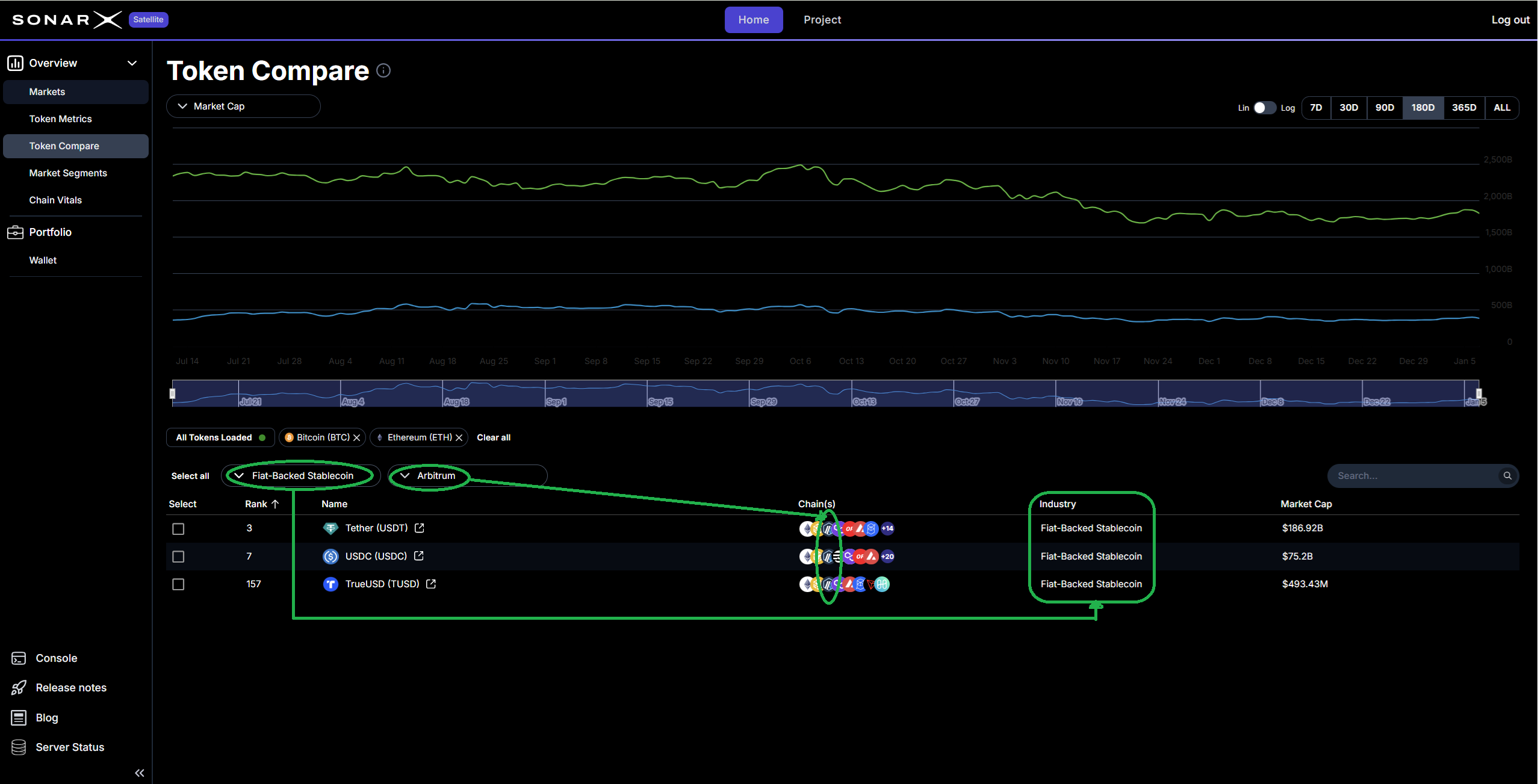
Satellite: Token Compare - applied filters Chain = Arbitrum, Industry Group = Fiat-Backed Stablecoin
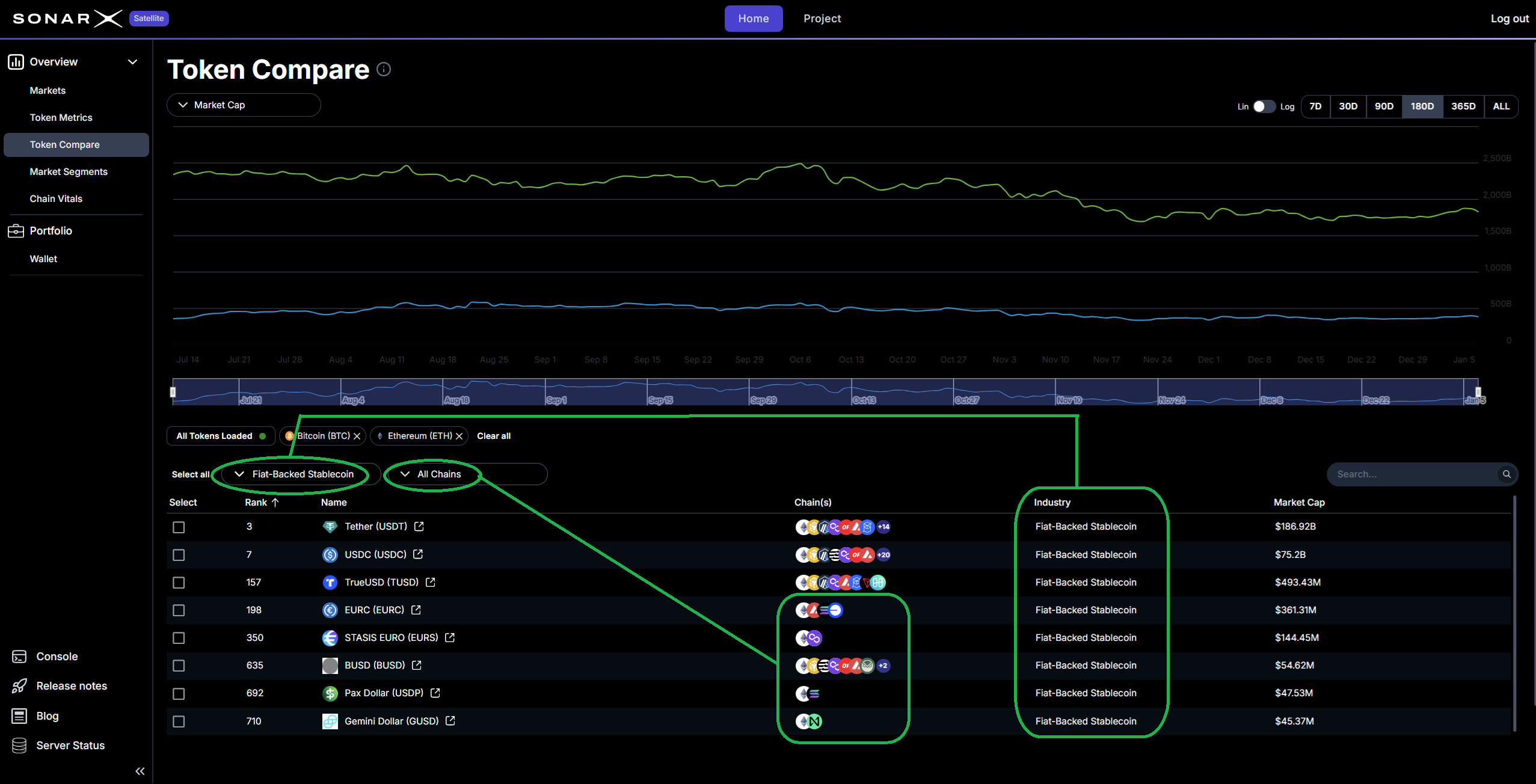
Satellite: Token Compare - applied filters Chain = All Chains, Industry Group = Fiat-Backed Stablecoin